
What Does an Inactive User Status Mean?
An Inactive status means the user has not signed in to the portal within the last 30 days. It does not mean the account has been disabled.
If the user knows their username and password, they can sign in normally. After signing in, their status will automatically change to Active.
If the user cannot remember their password, send them a password-reset email.
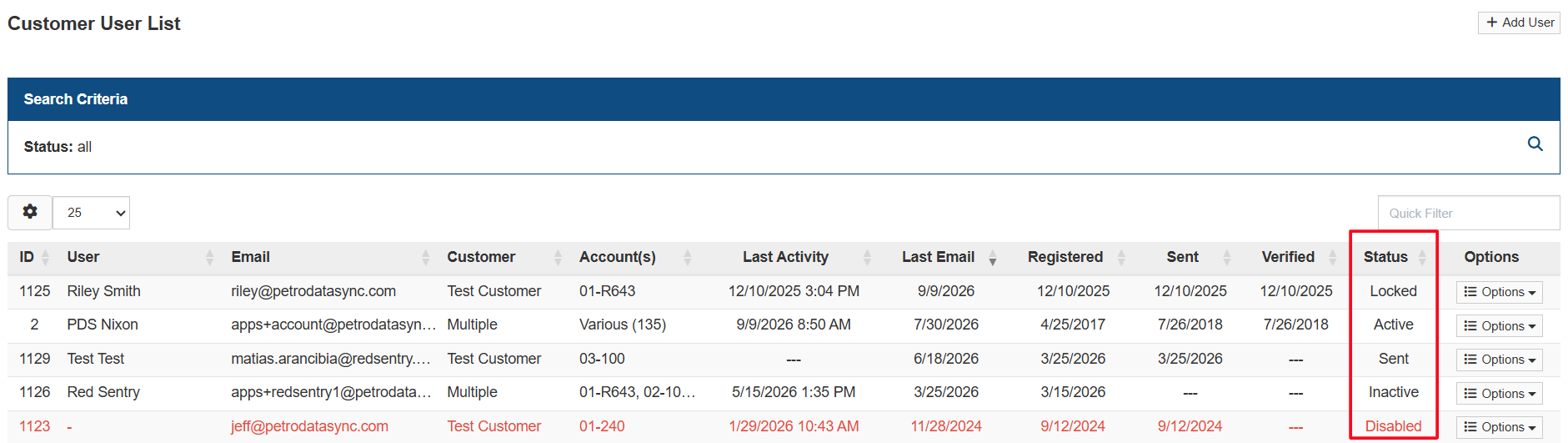
User Status Definitions
- Active: The user has signed in within the last 30 days.
- Inactive: The user has not signed in within the last 30 days. The user can still sign in normally.
- Sent: A registration email has been sent to the user.
- Verified: The user has verified their email address but has not yet signed in.
- Pending: A registration email has not yet been sent.
- Locked: The account has been locked because of repeated unsuccessful sign-in attempts.
- Disabled: The account has been disabled and the user cannot sign in.
If the user still cannot access the portal, contact PDS Support for assistance.