
How to find a Payment Return Reason
- Payments>Transactions History
- Search for "Returned" or "Late Return" status
- Select options and view detail
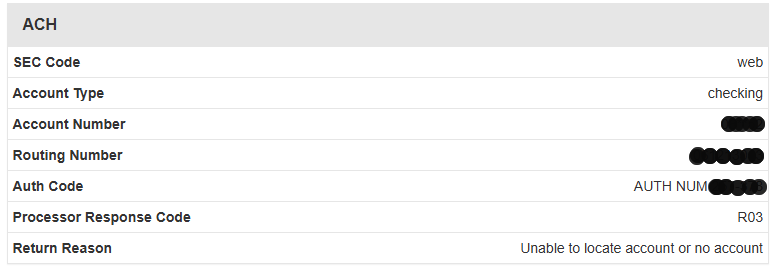
- The processor response code will provide either the approval or the error code
- The return reason will provide a more detail reason.
Common Return Codes
- R01 (Insufficient Funds): The account balance is too low to cover the debit amount
- R02 (Account Closed): The customer has shut down the targeted bank account
- R03 (No Account / Unable to Locate): The account or routing number doesn't match the customer’s bank records
- R04 (Invalid Account Number): The account number structure is flawed or fails digital validation
- R07 (Authorization Revoked): The customer canceled their permission for the transaction
- R10 (Customer Advises Not Authorized): The account holder disputes the charge or states it is unauthorized