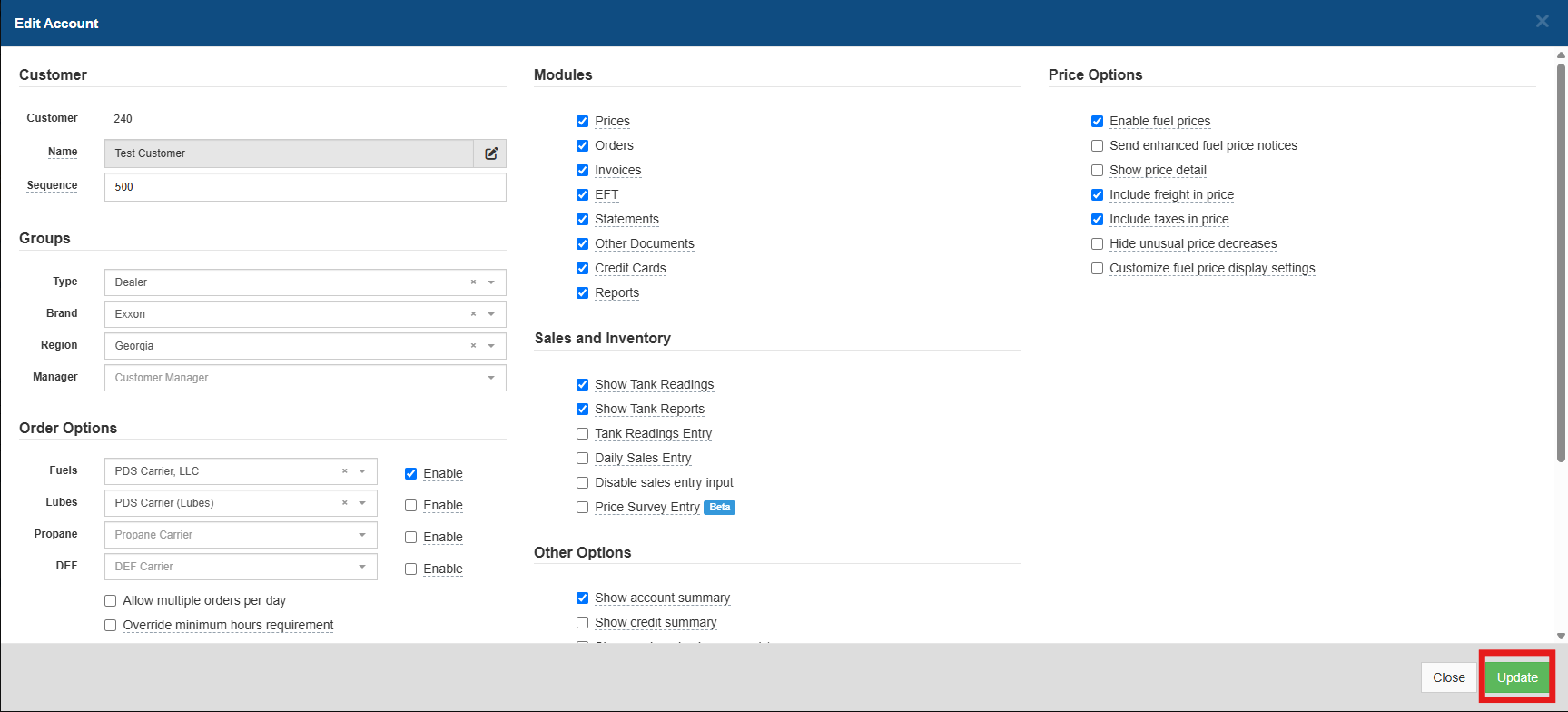
How to enable ordering capabilities for user accounts
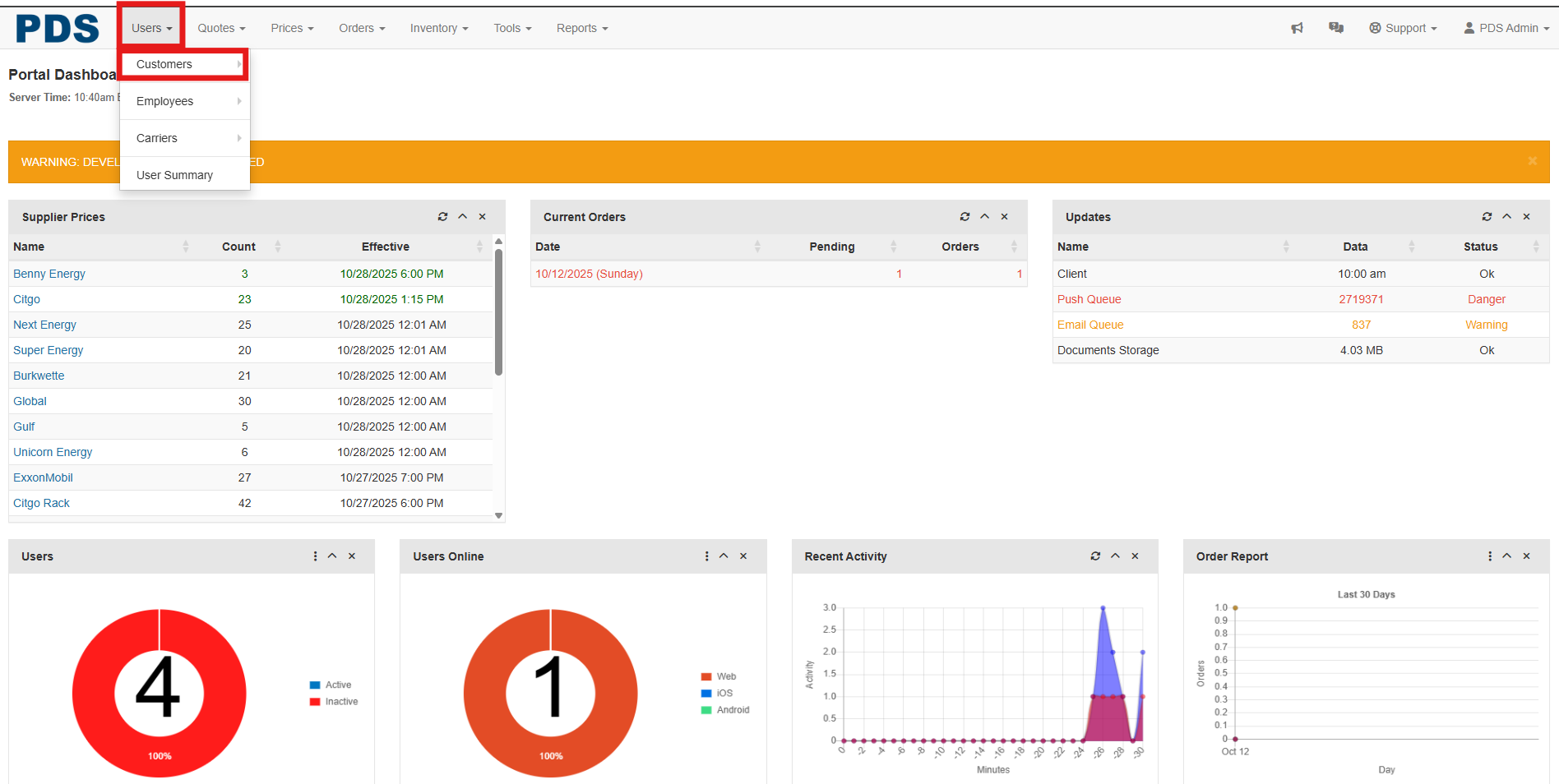
- From the Portal dashboard
- Select the Users tab
- Customers tab
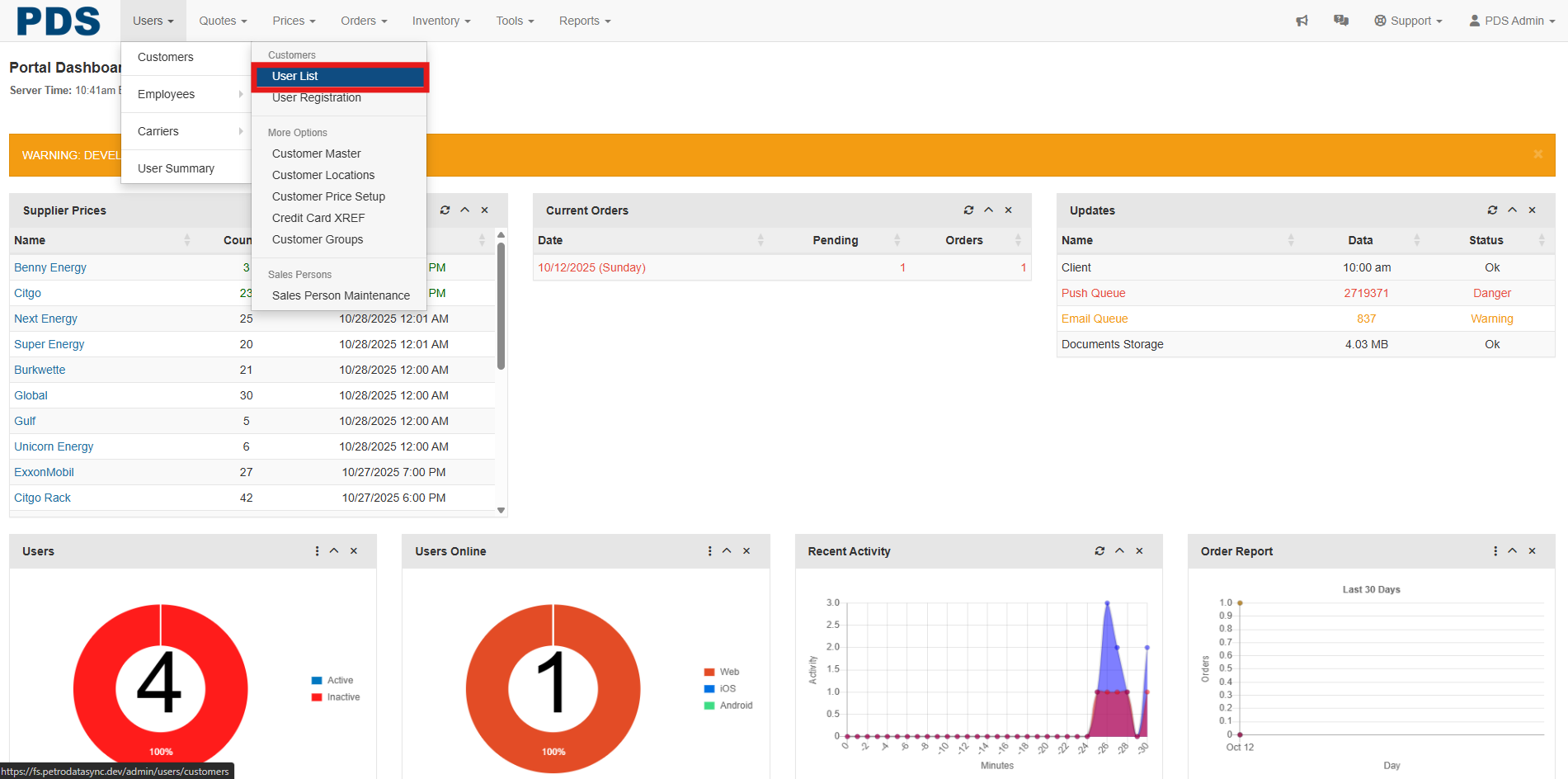
- Select User List
- Once the user account is located
- Select the Options tab
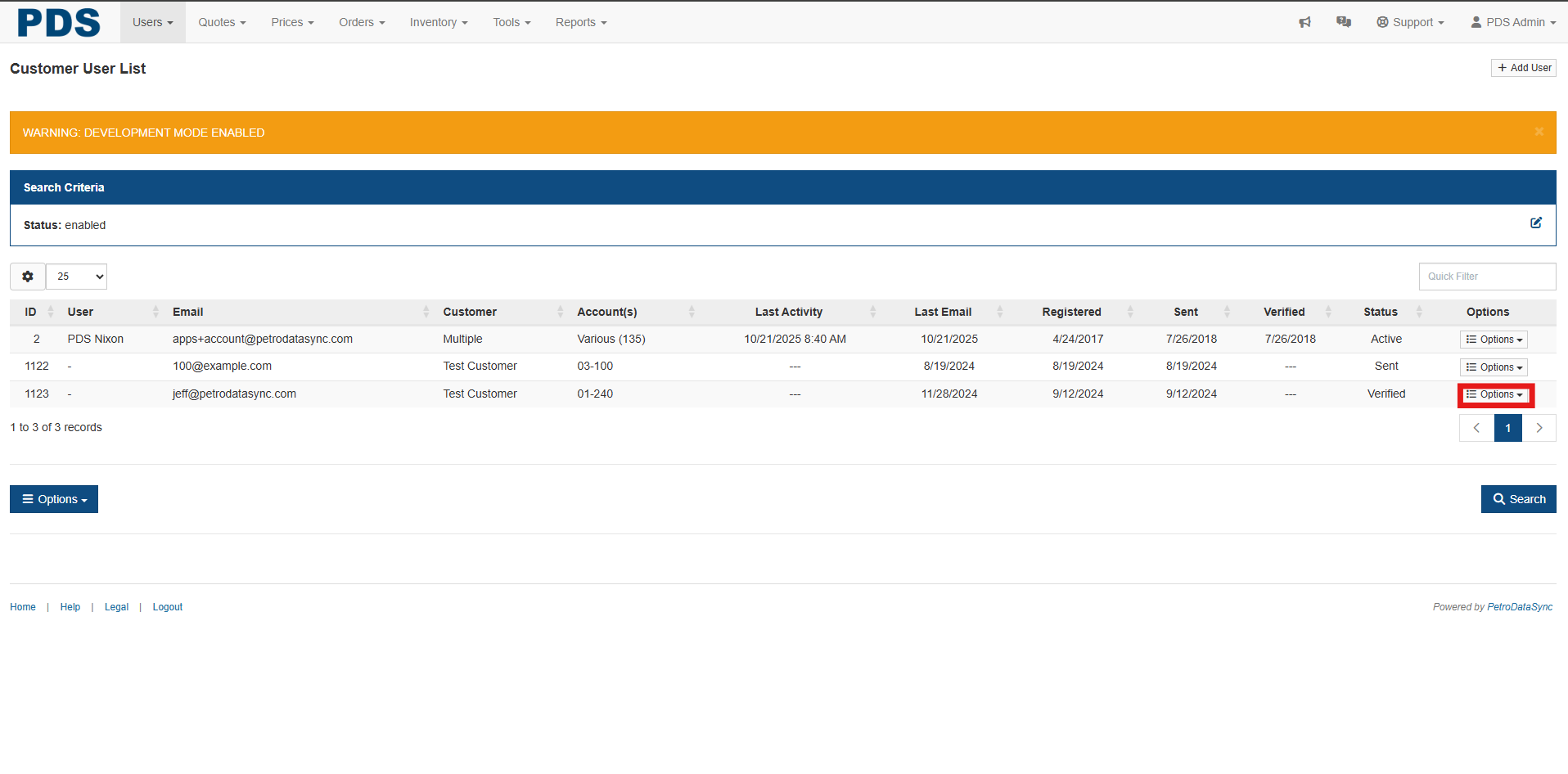
- Select Show Accounts
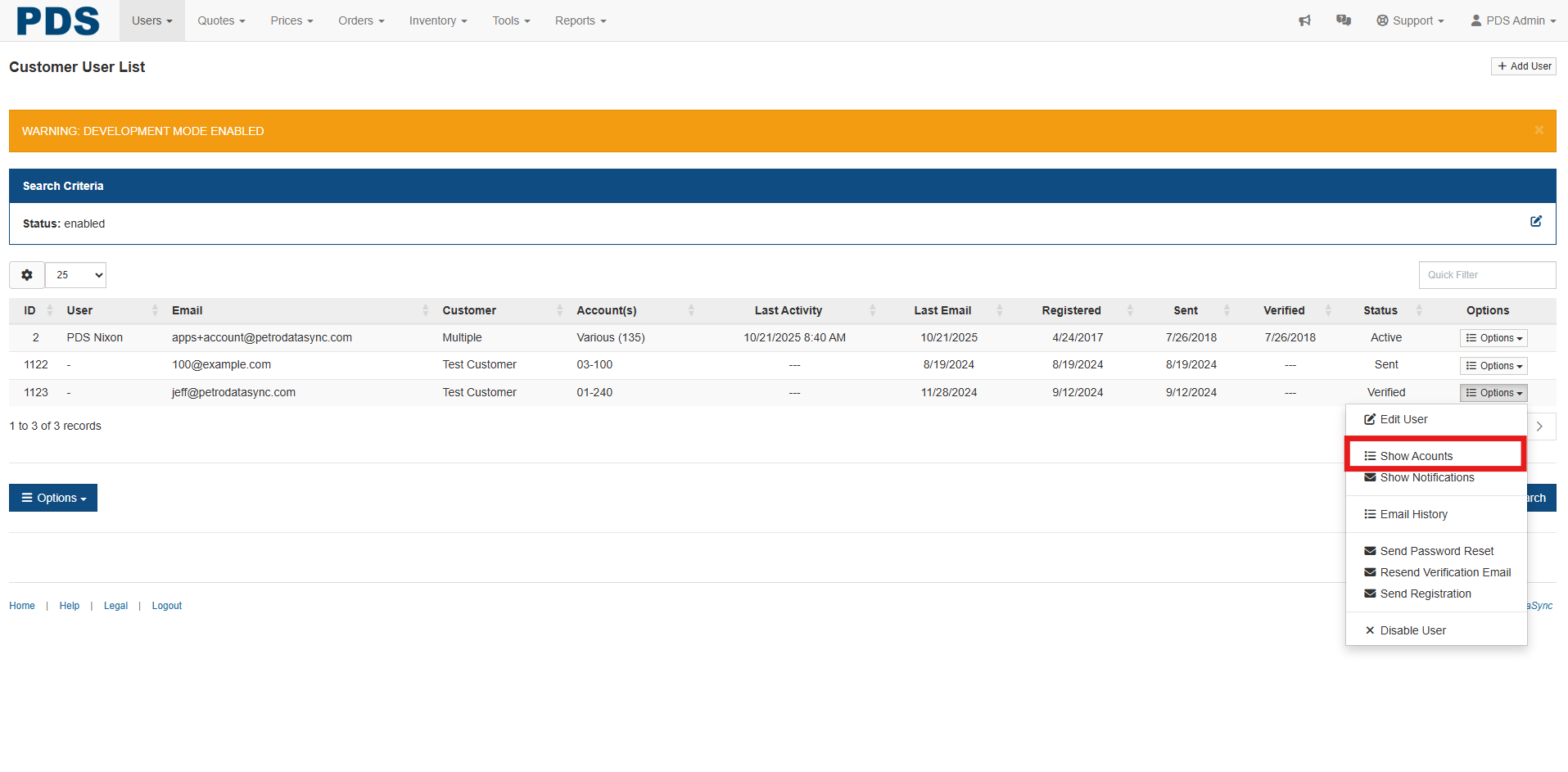
- Select Options Tab
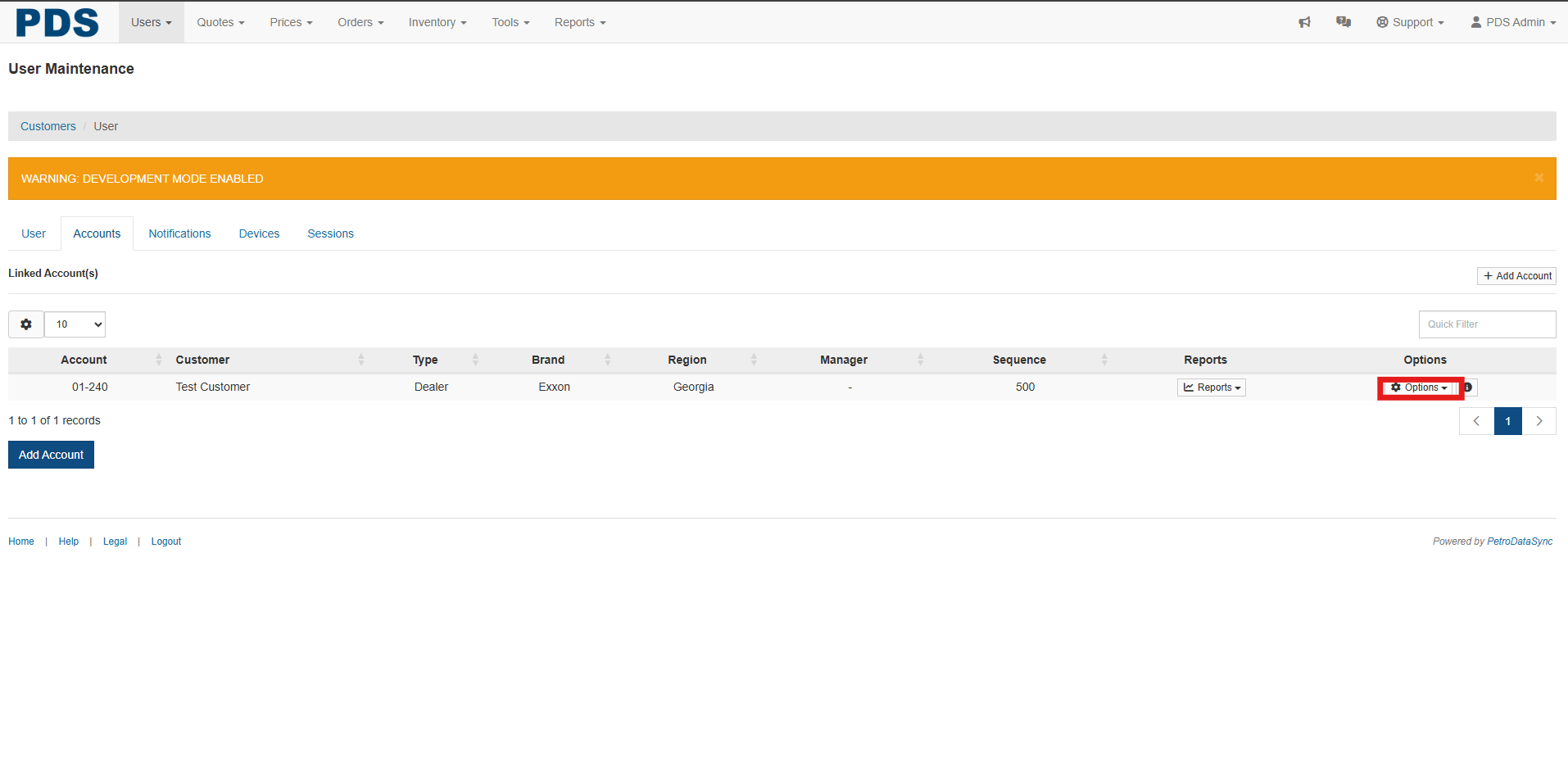
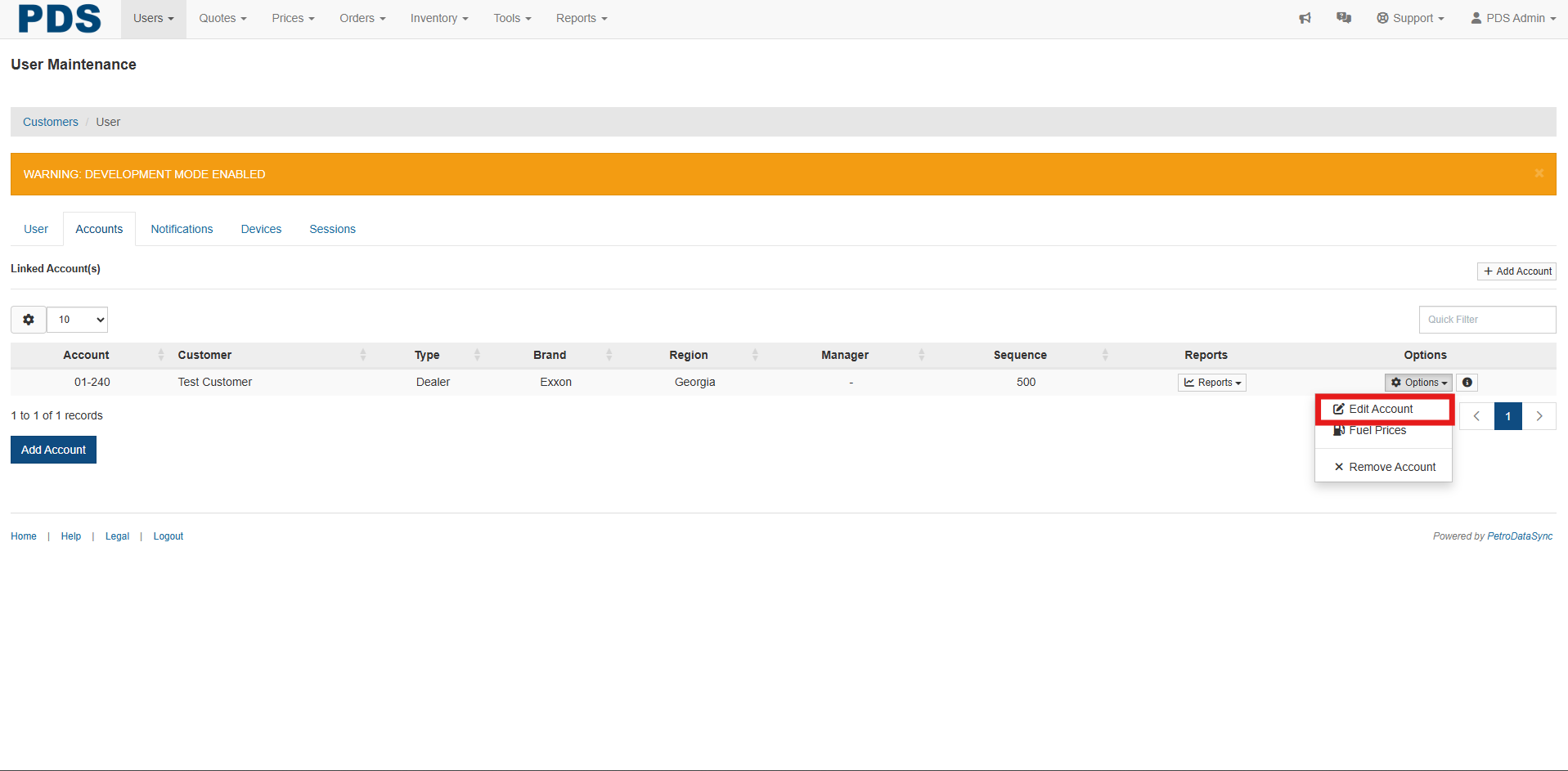
- Select Edit Account
- Select the Enable check box in the Order options
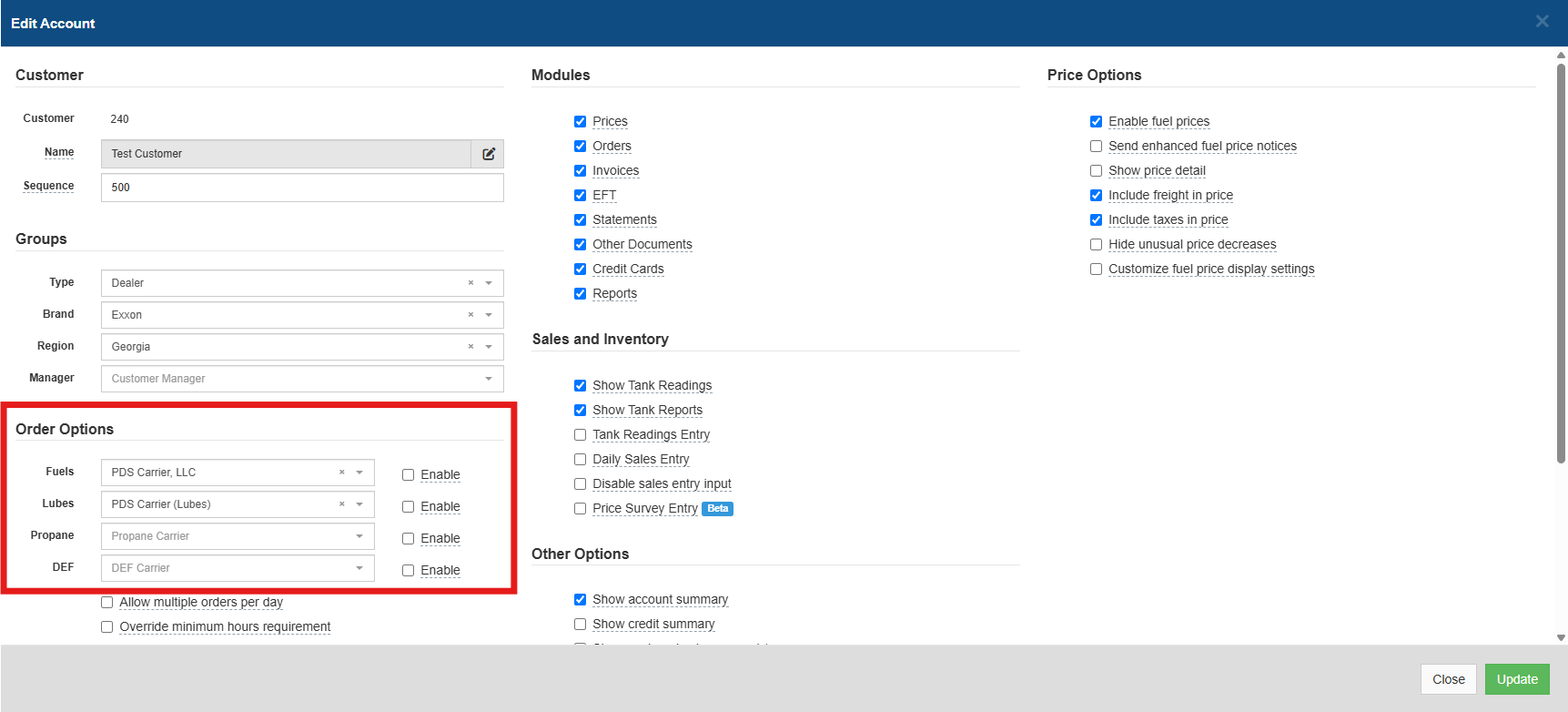
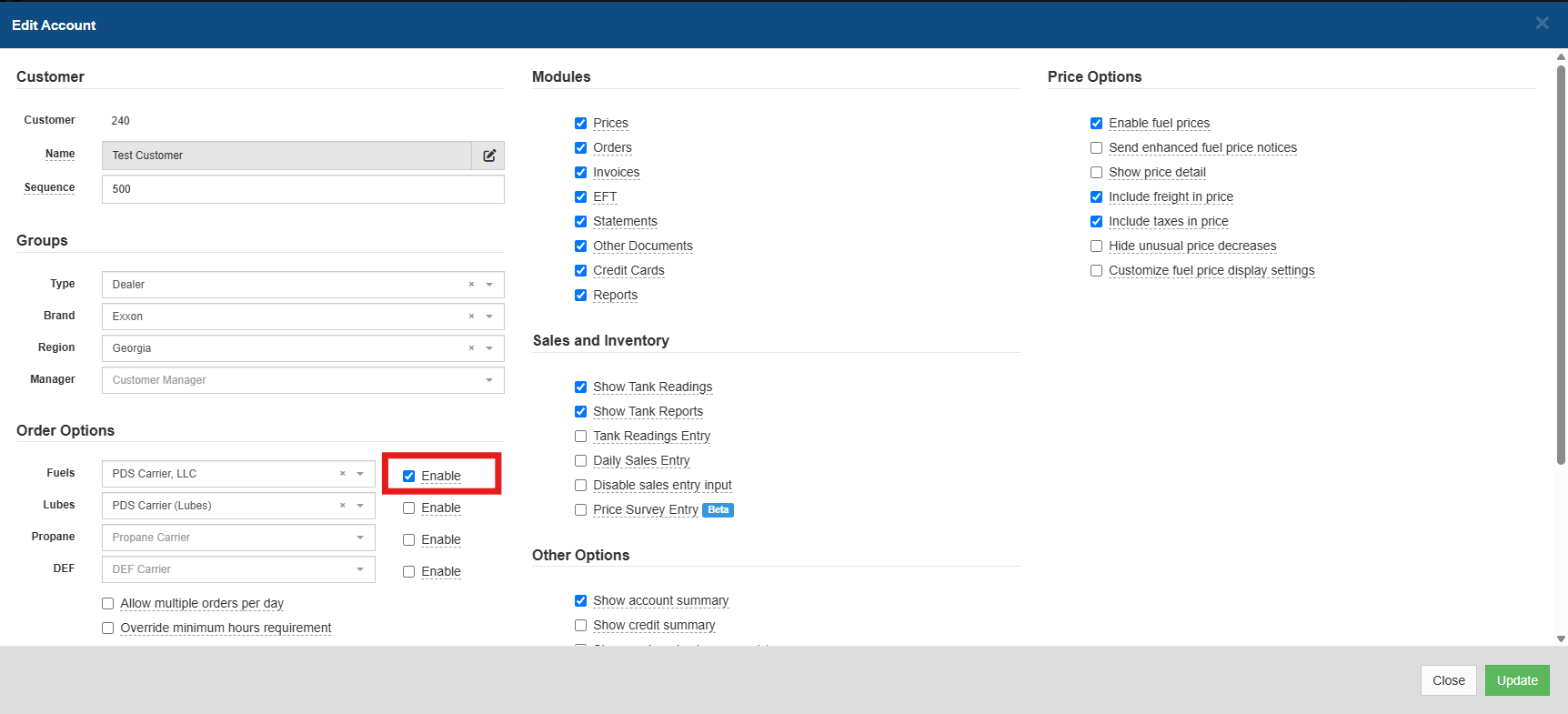
- Then after changes are selected
- Select Update